Classmaite vs UpAhead: Which Syllabus App Fits You in 2026?
Quick answer
Pick UpAhead if you want text and email alerts before each deadline, or want to share grades with a parent. Pick Classmaite if you want to try a real syllabus before making an account, upload Word docs or photos, review every date before it reaches your calendar, or share a class with classmates by link.
Try it with your own syllabus
Every assignment, exam, and reading on your calendar in about 30 seconds. Free, no account.
PDF, Word, or a photo of a paper one. No syllabus handy? See a sample
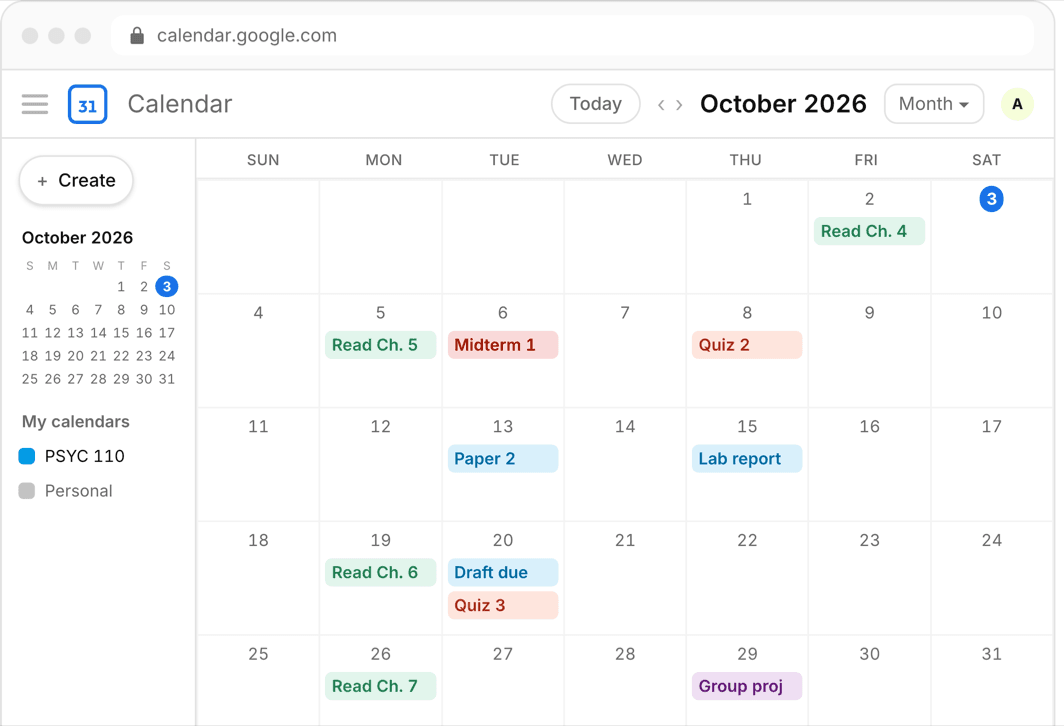
UpAhead and Classmaite do the same first job. You give each one a syllabus, and AI pulls out the due dates, exams and grade weights. Both say it takes about 30 seconds. Both track your grade and tell you what you need on the work that is left. The differences are in alerts, sharing, and what you can do before you sign up.
We make Classmaite, so this is not a neutral review. Every claim about UpAhead was read from upahead.online on 2026-11-26, including its syllabus-to-calendar and grade calculator pages. UpAhead does not list prices on its public site, and its pricing link goes to a login page, so we do not quote any. Check both sites before you pay.
Or skip all of it
Upload the syllabus. Get the calendar.
Every assignment and exam on Google, Apple, or Outlook in about 30 seconds. One syllabus free, no account, no card.
What each app is
UpAhead: a web app at app.upahead.online for college students. You upload, screenshot or paste a syllabus. Its AI pulls out due dates, exams, class meeting times, office hours and the grading breakdown, then merges every class into one semester tracker. It syncs due dates to Google Calendar, Apple Calendar or Outlook. It says it pulls due dates from Canvas, Moodle, Blackboard and D2L. It sends text and email alerts about upcoming deadlines. It works out your current grade and the score you need to hit a target. Students can choose to share grades or assignments with a parent. You sign in with Google, Microsoft or Apple.
Classmaite: a web app and an iPhone app. Upload a syllabus as a PDF, Word doc, photo or pasted text at myclassmaite.com/try with no account. It takes about 30 seconds. A review step comes first, so you check and fix each date. Then you sync to Google Calendar or download an .ics file for Apple Calendar or Outlook. Free calculators live at /tools. Pro uses the weights in your syllabus and shows what you need on the work that’s left. A class share link lets classmates add the same dates with no account.
Price
- UpAhead: the site says you can start for free with no credit card, and that paid plans add the full feature set. It offers a full refund to first-time subscribers who cancel within 7 days. It does not show prices on the public site, so we could not check them.
- Classmaite: the first syllabus needs no account. A free account keeps two classes at a time. Pro is $9 a month, $29 per 6 months or $50 a year, after a 3-day trial that needs a card.
- Verdict: we cannot say which is cheaper, because UpAhead does not publish its prices. UpAhead’s 7-day refund is a fair promise. Classmaite lets you test a syllabus before you give an email.
Feature-by-feature
- Trying it first: Classmaite reads your first syllabus with no account. UpAhead asks you to sign up first. Win for Classmaite.
- What you can upload: UpAhead takes uploads, screenshots and pasted text; its syllabus page only names PDFs. Classmaite takes PDF, Word, photo and pasted text. Win for Classmaite if a professor uses .docx; even for PDFs.
- Review step: Classmaite shows every extracted item for you to check before export. UpAhead’s pages do not describe a review step. Win for Classmaite, as far as the sites say.
- Calendar export: both reach Google, Apple and Outlook. Classmaite also gives you an .ics file; UpAhead’s pages do not mention one. Roughly even.
- Deadline alerts: UpAhead sends text and email alerts. Classmaite sends no reminder emails; reminders come from Google Calendar alerts and iOS notifications. Win for UpAhead if you want a text before each deadline.
- Grades: both work out what you need on remaining work. UpAhead tracks your current grade in every class. Classmaite has free calculators, and Pro shows what you need on the work that’s left, using the weights in your syllabus. Roughly even.
- LMS: UpAhead lists Canvas, Moodle, Blackboard and D2L. Classmaite has Canvas sync on Pro, in beta, and subscribes to Blackboard, Brightspace and Moodle feeds. Even on paper; test with your own school.
- Parent sharing: UpAhead lets you share grades or assignments with a parent. Classmaite has nothing like it. Win for UpAhead if a parent is paying or asking.
- Classmate sharing: Classmaite gives each class a share link that classmates can use with no account. UpAhead’s site does not mention sharing with classmates. Win for Classmaite.
- Phone app: Classmaite has an iPhone app (no Android). UpAhead’s site does not mention a phone app. Win for Classmaite on iPhone.
Who should pick UpAhead
You want a text message before each deadline. You want email alerts too. A parent wants to see your grades, and you are fine with that. You already know you will sign up, so a no-account test does not matter to you.
Who should pick Classmaite
You want to see how well it reads your hardest syllabus before you make an account. Some of your syllabi are Word docs or paper. You want to check each date before it lands in your calendar. Or you want to do one upload and send the link to your whole class.
Verdict
Both do the core job. UpAhead wins on text and email alerts and on parent sharing. Classmaite wins on trying it with no account, file types, the review step, the iPhone app and classmate sharing. Run the same syllabus through both and keep the one that read it correctly.
Free grade calculators
What do you need on the final?
Enter your current grade, how much the final is worth, and the grade you want. Get the exact score, with the math shown. No account, no email.
Final grade calculatorFrequently asked questions
Is UpAhead free?
UpAhead says you can start for free with no credit card, and paid plans add the full feature set. It did not show prices on its public site on 2026-11-26.
Does UpAhead send text reminders?
Yes. UpAhead says it sends text and email alerts about upcoming deadlines. Classmaite does not send reminder emails or texts; it uses Google Calendar alerts and iOS notifications.
Can I try either one without an account?
Classmaite reads your first syllabus at myclassmaite.com/try with no account. UpAhead asks you to sign in with Google, Microsoft or Apple first.
Which one tells me what I need on the final?
Both. UpAhead shows the score you need on upcoming work to reach a target. Classmaite has free calculators at /tools, and Pro uses the grade weights in your syllabus and the scores you enter to show what you need on the work that’s left.
Does UpAhead have an iPhone app?
Its site describes a web app and did not mention an iPhone or Android app on 2026-11-26. Classmaite has an iPhone app and a web app; it has no Android app.